
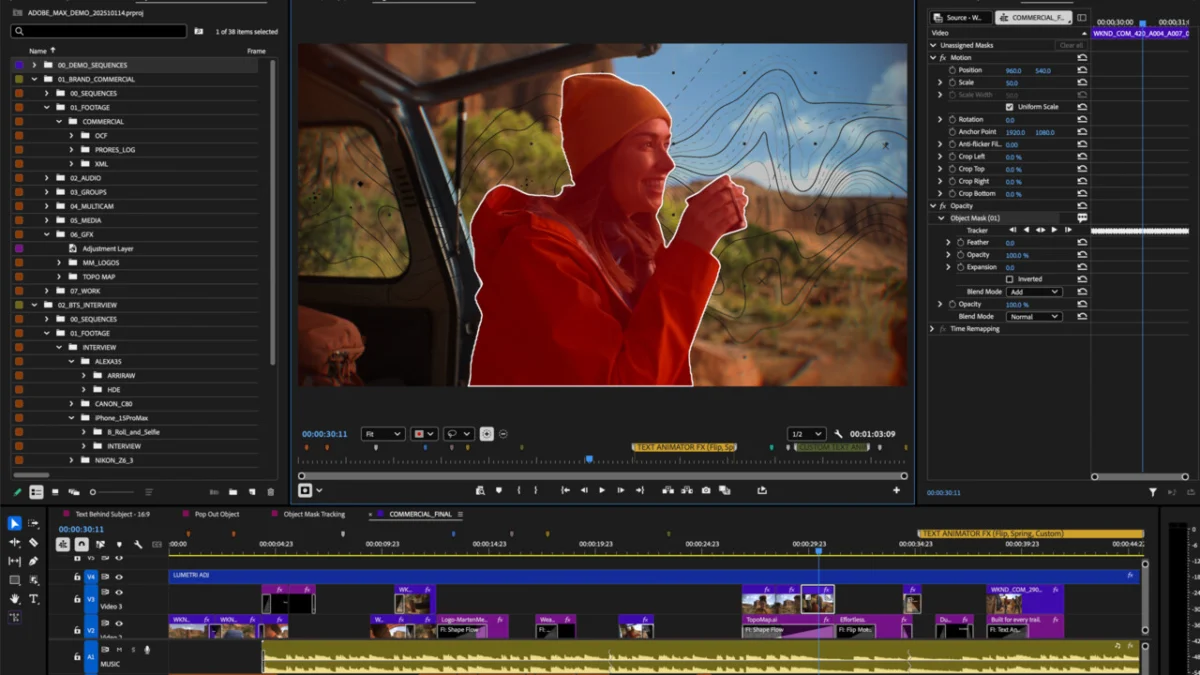
Adobe has officially signaled a major shift in its ecosystem compatibility. As of January 21, 2026, the company has updated the system requirements for its flagship non-linear editing software, Adobe Premiere Pro. The transition to the new iteration, Premiere Pro 26, brings with it a definitive end to support for older operating systems—most notably Windows 10—while simultaneously ushering in native support for the burgeoning Windows-on-ARM architecture.
For video professionals, motion designers, and creative agencies, these changes represent more than just a software update; they signify a mandatory hardware and software migration path that must be navigated before the software effectively ceases to function on legacy machines.
The Core Transition: A New Standard for Stability and Performance
The primary headline from Adobe’s latest update is the elevation of the "minimum viable platform." Adobe is moving to align its software development cycle more closely with the latest OS kernels from Microsoft and Apple. By deprecating support for Windows 10 and macOS Ventura, Adobe is effectively forcing its user base onto platforms that offer modern security protocols, advanced driver support, and optimized API integration.
While Premiere Pro 25 maintained compatibility with Windows 10 (22H2) and macOS Ventura, the release of version 26 changes the landscape entirely. Windows 11 24H2 is now the mandatory baseline for PC users, and macOS Sonoma (14.0) is the minimum for Apple users.
Windows 10: The End of an Era
The decision to abandon Windows 10 is particularly significant. While Microsoft itself has committed to providing extended security updates for Windows 10 until October 2026, Adobe has chosen to accelerate its departure from the OS by nine months. Users attempting to launch Premiere Pro 26 on a Windows 10 machine are already encountering hard blocks and compatibility warnings, indicating that the software’s installer check is now strictly enforced.
Chronology: The Road to Modernization
To understand why this change is happening now, one must look at the recent history of Premiere Pro’s development.
- 2023–2024 (The Foundation): Adobe focused on optimizing Premiere Pro for Apple Silicon and refining the Windows 11 experience. During this time, the software remained relatively accessible, running on older operating systems provided they met basic RAM and GPU thresholds.
- Late 2025 (The Signal): Rumors began to circulate in industry forums regarding the shift toward Windows 11 24H2. The focus shifted toward leveraging newer Windows kernel features for improved background processing and better integration with AI-powered features like Text-Based Editing and Enhance Speech.
- January 21, 2026 (The Policy Shift): Adobe officially updated the system requirements documentation. Premiere Pro 26 launched, locking out older OS builds and introducing the long-awaited support for Qualcomm Snapdragon X processors.
- February 2026 (Current Status): Professional workflows are now in a transition period. Agencies and freelance editors are scrambling to update workstation OS versions to avoid downtime on active client projects.
The New Frontier: ARM Support for Windows
While the deprecation of older OS versions is causing friction, the introduction of native support for ARM-based Windows systems is a landmark development. For years, Windows-on-ARM struggled to gain traction in the professional creative space due to a lack of native software support.
With Premiere Pro 26, Adobe has validated the Qualcomm Snapdragon X platform as a legitimate workstation architecture. The software requires build 26100.2033 or higher to function on these devices. While the initial scope is limited to Qualcomm’s chips, this move suggests a broader future for high-performance, power-efficient creative laptops that do not rely on traditional x86 Intel or AMD processors.
This is a clear attempt by Adobe to mirror the success they found with Apple Silicon, where the integration of specialized neural engines and unified memory architectures allowed Premiere Pro to achieve performance levels previously impossible on mobile hardware.
Impact on the Mac Ecosystem
Apple users are not exempt from the "clean slate" policy. The requirement for macOS Sonoma (Version 14) effectively leaves behind users who are still running macOS Ventura (Version 13).
For many Mac users, this update is less about hardware capability and more about software policy. Many Macs that support Ventura are capable of running Sonoma; however, for those in corporate environments where IT departments strictly control OS versions, this upgrade path may require significant testing and approval, potentially delaying the rollout of the new software version. Adobe continues to highlight Apple Silicon as the "recommended" hardware, specifically pointing to M1 Pro chips and newer as the sweet spot for professional performance.
Supporting Data: Hardware Requirements Unchanged
Interestingly, while the software requirements have become more stringent, the hardware floor remains surprisingly low. Adobe has not raised the minimum RAM or VRAM requirements, maintaining them at 8 GB of system memory and 4 GB of video memory.
However, industry experts caution that these "minimums" are largely theoretical.
- The Baseline: 8 GB RAM / 4 GB VRAM. This is effectively the "install-and-open" threshold.
- The Professional Recommendation: 32 GB RAM, 8 GB VRAM, and high-speed NVMe SSDs for cache and media.
Adobe’s continued insistence on these moderate minimums is likely designed to keep the software accessible for students and educators, even as the underlying OS requirements become more enterprise-focused.
Official Responses and Industry Implications
In statements regarding the update, Adobe representatives have emphasized "performance, stability, and future-proofing." By shedding the weight of legacy operating systems, the engineering team can focus on utilizing modern OS features—such as DirectStorage on Windows or advanced Metal optimizations on macOS—that are simply not present or optimized in older environments.
The IT Perspective
For enterprise IT managers, this update creates a "forced migration" scenario. When creative software demands the absolute latest OS, it creates a cascading effect:
- Driver Compatibility: Does the existing hardware have stable drivers for Windows 11 24H2?
- Plugin Ecosystem: Do third-party plugins (Red Giant, Boris FX, etc.) support the new environment?
- Security Policies: Can the organization safely deploy the latest OS without breaking legacy workflows or security compliance?
Many studios are expected to hold off on updating to Premiere Pro 26 until the third or fourth point-release, preferring the stability of version 25 for long-term projects currently in production.
The Cost of Staying Current
The decision to end support for Windows 10 is the most contentious element of this update. Windows 10 has been the "gold standard" for stability for many editors. By pushing users to Windows 11, Adobe is essentially forcing the adoption of a UI and a telemetry environment that some creative professionals have resisted for years.
However, the industry trend is clear. As AI-integrated tools become a staple of the Premiere Pro workflow—requiring deeper hooks into the OS for hardware acceleration and memory management—the overhead of maintaining support for legacy systems becomes an anchor that slows down innovation.
Looking Ahead
The move to Premiere Pro 26 serves as a reminder that in the world of professional creative software, "support" is a finite resource. As we move further into 2026, we can expect other industry giants to follow suit, eventually abandoning Windows 10 entirely as the OS reaches its final sunset in October.
For the freelance editor or the post-production house, the message is clear: the hardware you bought three years ago might still be powerful enough to handle 4K footage, but the software you use will demand a modern foundation to run. Upgrading is no longer just about gaining new features—it is about maintaining the ability to work at all.
Conclusion: A Necessary Pivot
Adobe’s decision to drop Windows 10 and older macOS versions is a calculated move that prioritizes the future of the platform over the convenience of the past. While the transition will undoubtedly cause headaches for those running older, highly specialized workstation configurations, the integration of ARM support and the insistence on modern OS kernels lay the groundwork for a more efficient, AI-driven era of video editing.
As the industry pivots toward the hardware of the future, Adobe is ensuring that its software is ready to meet it, leaving behind the baggage of the last decade to focus on the performance demands of the next. Users are encouraged to audit their current OS builds immediately and plan their migration to Windows 11 24H2 or macOS Sonoma to ensure their workflows remain uninterrupted as they enter the next chapter of creative production.