
Microsoft is signaling a significant shift in its design philosophy for Windows 11. Long criticized for a rigid, "one-size-fits-all" interface, the latest developments in the Windows Insider Program indicate that the company is finally relenting, offering users granular control over the Start menu and the taskbar. As of the Insider Experimental Preview Build 26300.8493, released in April 2026, hidden features are surfacing that promise to transform the desktop experience from a locked-down aesthetic into a highly modular workspace.
Main Facts: A New Era of Personalization
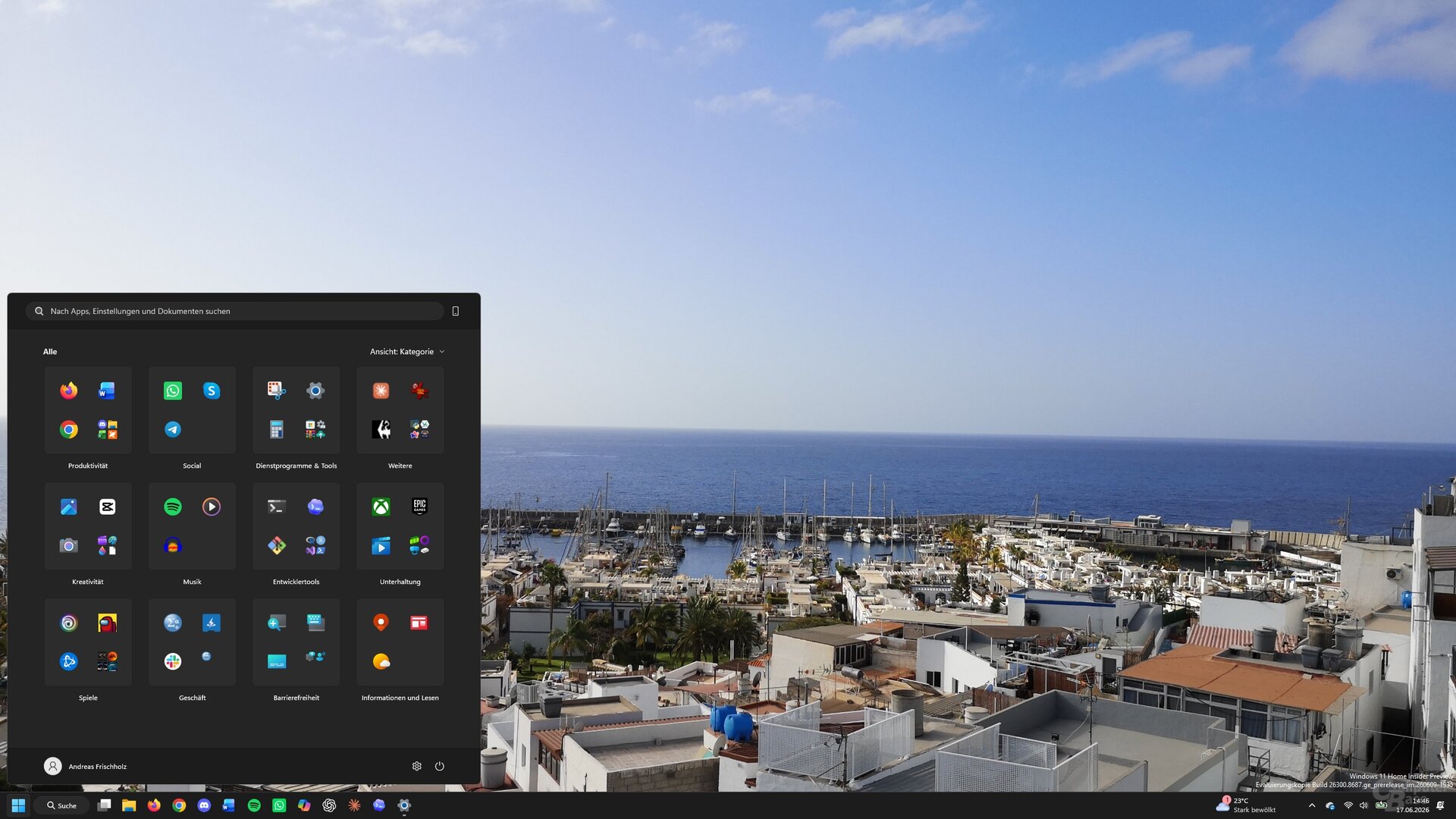
The core of this update lies in the "Personalization" settings, specifically within the "Start" menu sub-menu. Users can now exercise unprecedented control over what appears—or does not appear—when they hit the Windows key.
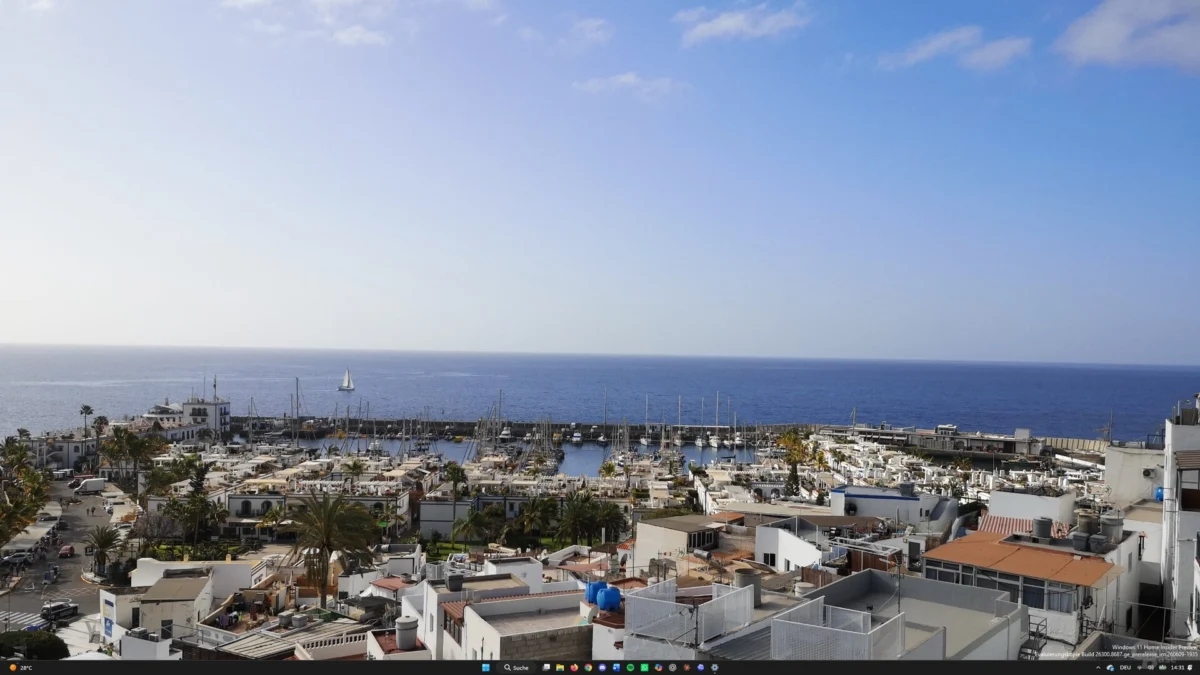
The most striking feature is the ability to create a "blank" Start menu. By deactivating all sub-sections within the settings, the Start menu becomes an empty canvas. While this might seem counterintuitive to productivity, it represents a massive victory for users who prefer a minimalist, distraction-free environment. Other configurations allow for a refined, streamlined view: users can toggle between displaying only "Pinned Apps" or an "All Apps" list, effectively reducing the visual clutter that has defined the Windows 11 experience since its 2021 launch.

Furthermore, the taskbar—previously anchored to the bottom of the screen in a centered or left-aligned configuration—is finally regaining the ability to be moved. Reports confirm that users can now snap the taskbar to the top, left, or right edges of their monitors, a functionality that was a staple of previous Windows iterations but was conspicuously absent from the initial Windows 11 release.
Chronology: The Path to Customization
The road to these changes has been a long one, marked by user feedback and periodic design pivots.
- October 2025: Microsoft introduced an "Optional Update" that hinted at a new, more flexible Start menu. This update was the first to offer simplified titles and a glimpse into the company’s intent to address the "recommended" content bloat that had frustrated many users.
- Early 2026: Enthusiasts began using the ViVeTool utility to uncover dormant code within the Windows 11 builds. These community-led discoveries, often championed by prominent Windows trackers like phantomofearth on X (formerly Twitter), revealed that Microsoft had been developing these customization features for months behind a "feature flag" architecture.
- April 2026 (Build 26300.8493): The current milestone. This build marks the point where the features are fully functional within the code, though they remain locked behind administrative command-line activation.
Supporting Data: Technical Implementation and Risks
For those eager to test these features before their official rollout, the process requires a degree of technical proficiency. Utilizing ViVeTool—a community-developed command-line tool—allows users to enable these hidden "feature IDs."

How to Enable (Proceed with Caution)
- Preparation: Download the latest ViVeTool archive from GitHub.
- Access: Extract the files and open the Command Prompt (or PowerShell) with administrative privileges.
- Navigation: Use the
cdcommand to navigate to the folder where the tool was extracted. - Activation: Execute the command
vivetool /enable /id:xxxxxx, replacing the placeholder with the specific IDs identified by community researchers.
A Word of Warning: This process is not officially supported by Microsoft and carries inherent risks. During internal testing, it was noted that forcing these features could lead to instability. Specifically, the Start menu occasionally failed to launch entirely after certain system updates. While the fix—disabling the feature IDs—is straightforward, it serves as a reminder that these functions are still experimental and subject to refinement.
Official Responses and Strategic Shifts
While Microsoft has remained tight-lipped regarding an exact release date for these features, the trajectory of their development is clear. The company is responding to a multi-year trend of user dissatisfaction regarding the lack of "Desktop Agency."
In the early days of Windows 11, the decision to remove taskbar positioning and force "recommended" content into the Start menu was framed as a move toward simplicity and a modern aesthetic. However, the data suggested that power users—the core demographic of the Windows Insider Program—rejected this simplification. By opening up these configuration options, Microsoft is acknowledging that the future of Windows is not just about a cohesive look, but about empowering the user to define their own workflow.

Recent rumors also suggest that the infamous "account requirement" for local Windows usage is being re-evaluated, further cementing the theory that Microsoft is entering a "Correction Phase" for the OS.
Implications: What This Means for the Future
The implications for the desktop computing market are significant. By allowing a "classic" layout (taskbar on the side, minimal Start menu) alongside the "modern" centered layout, Microsoft is effectively bridging the gap between Windows 10 loyalists and the Windows 11 vision.
User Productivity
For professionals and creative workers, the ability to move the taskbar is not merely a cosmetic change. Many users with ultra-wide monitors prefer a vertical taskbar to maximize vertical screen real estate. The return of this feature, combined with a clutter-free Start menu, could significantly improve the "information density" of the desktop.
The Role of the Insider Program
This development highlights the indispensable role of the Windows Insider Program. Without the community’s drive to dig through code and push for these changes, it is highly likely that these features would have remained buried indefinitely. The interaction between Microsoft’s developers and the "leaker" community has created a feedback loop that has essentially forced Microsoft to iterate faster.
The "Classic" Windows Vibe
The combination of the new Start menu settings and the repositionable taskbar allows for a unique hybrid experience. Users can now run a Windows 11 kernel with a "Windows 7/10-style" desktop geometry. This level of granular control is something that many thought was lost to the history of the operating system.
Conclusion: A More Mature Windows
As we look toward the second half of 2026, the picture of Windows 11 that emerges is one of maturity. Microsoft is learning that while a sleek, unified design is important for marketing, the longevity of an operating system depends on how well it adapts to the diverse needs of its user base.

Whether these features are eventually released to the general public in a standard cumulative update or reserved for a future "Windows 12" release remains to be seen. However, the fact that they exist in the codebase today is a testament to the fact that user choice is finally being placed at the center of the Windows experience. For now, the "hidden" nature of these tools acts as a sandbox for the tech-savvy, but their presence signals a much-needed course correction for the world’s most popular desktop operating system. Users are no longer just consumers of the interface; they are, once again, the architects of their own digital environments.