

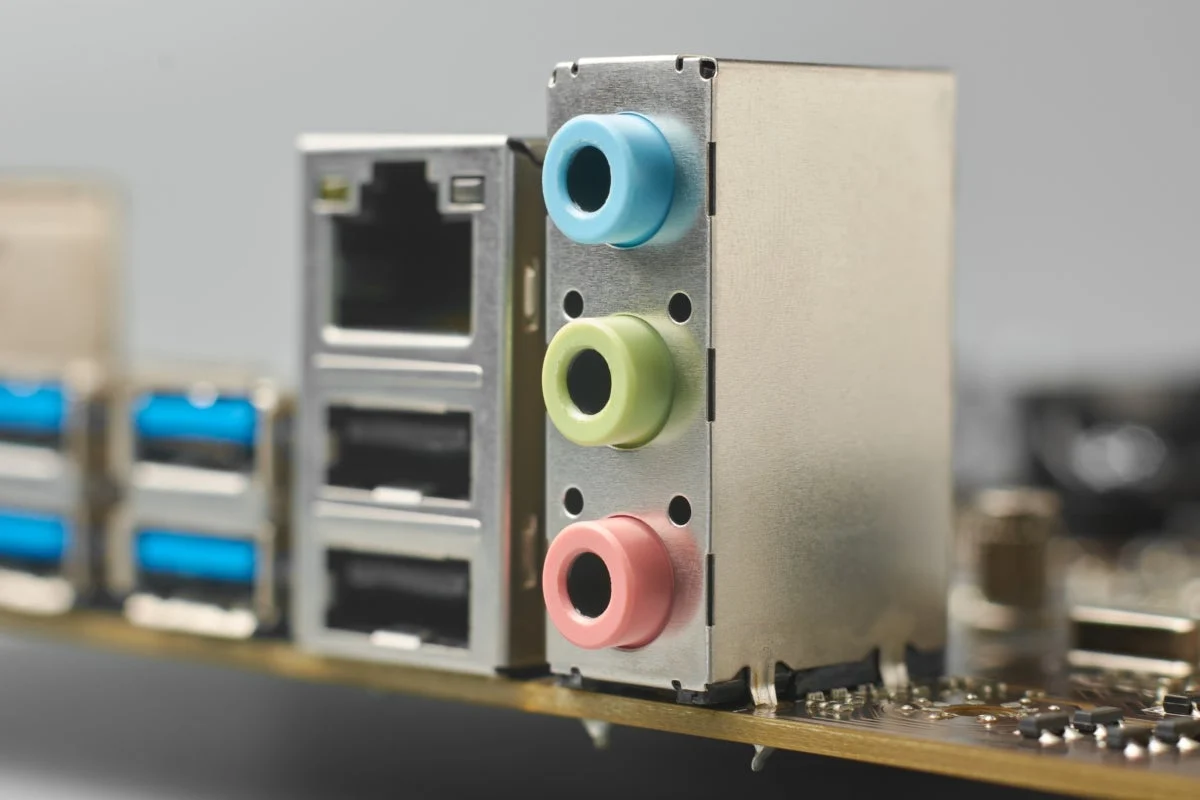
Whether you are a seasoned system builder or a casual user, you have almost certainly encountered the standard trifecta of audio ports on the back of a PC motherboard: lime green, light blue, and a shade that sits somewhere between pink and magenta. For decades, these colored jacks have served as the silent interface between our hardware and our ears.
While the rise of USB headsets, Bluetooth peripherals, and digital optical outputs has rendered these legacy analog connections less critical than they once were, the physical layout remains a staple of motherboard design. But why were these specific colors chosen, and why do they persist in an era of plug-and-play intelligence? The answer lies in a fascinating intersection of corporate standard-setting, the evolution of Windows, and the quest for mass-market accessibility.
The Main Facts: Decoding the Color Palette
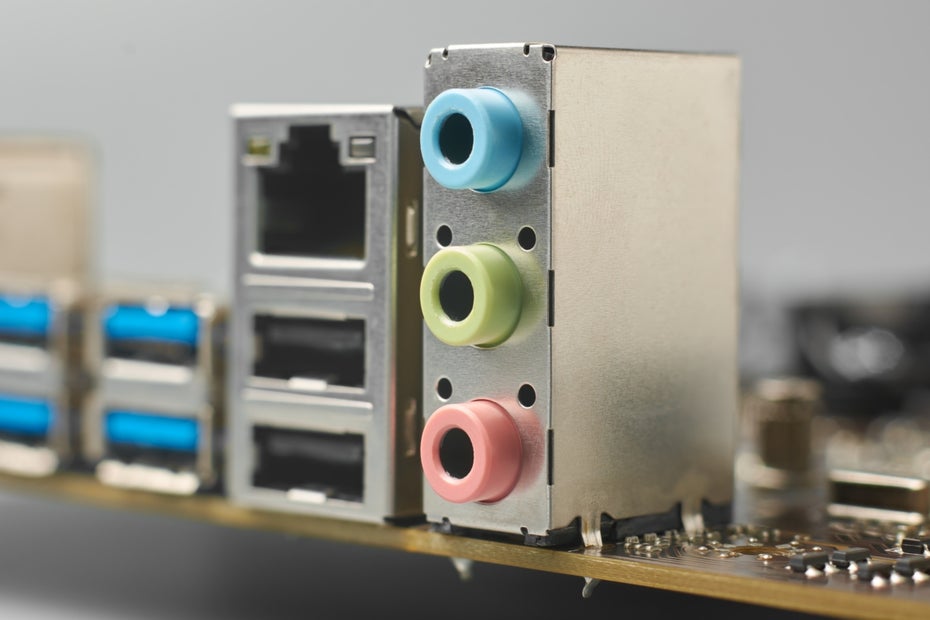
To the average user, the colored ports are a simple guide to connectivity. The color-coding convention—established by the PC 99 System Design Guide—is as follows:
- Lime Green: The standard output for stereo speakers or headphones. This is the primary destination for all system audio.
- Light Blue: Known as the "Line-in" port. This is an analog input designed for external audio sources such as tape decks, synthesizers, or older MP3 players, allowing the PC to record or pass through audio signals.
- Pink (often mistaken for red): The dedicated microphone input. It is specifically calibrated to handle the lower signal levels of a standard electret microphone.
While these colors have become industry standards, they are, in reality, entirely arbitrary. There is no physical law requiring a microphone input to be pink; rather, it was a decision made by committee to ensure that a consumer in Germany, Japan, or the United States could set up their PC without needing to decipher complex manuals. By moving toward a standardized visual language, manufacturers were able to reduce user error, cut down on support calls, and facilitate the explosive growth of the home PC market in the late 1990s.
A Chronology: The Road to Standardization
Before the late 1990s, the PC peripheral landscape was chaotic. Manufacturers often used proprietary connectors or unlabeled ports, leading to a "cabling nightmare" for early home users. If you wanted to plug in a sound card, you were at the mercy of whatever design language that specific manufacturer chose to adopt.
The Rise of the PC System Design Guides
The shift toward order began in 1997 with the release of the first PC System Design Guide. Created through a strategic partnership between Microsoft and Intel, these documents were intended to ensure that hardware met a specific baseline of compatibility to earn the "Designed for Windows" badge.
The initiative evolved rapidly:
- 1994: The foundation is laid with the Hardware Design Guide for Microsoft Windows 95, which established early best practices for peripheral connectivity.
- 1997: The first official PC System Design Guide is published. It famously mandated that keyboard ports be purple and mouse ports be dark green (the iconic PS/2 color scheme).
- 1999: The PC 99 standard is introduced. This was the turning point for audio. It codified the colors for the 3.5mm jacks that we recognize today, using the Pantone color system to ensure consistency across different manufacturers.
- 2001: The final edition of the guide is released, cementing the legacy of the color-coded I/O panel.
By the time the project concluded in 2001, the "PC 99" colors had become so deeply ingrained in consumer expectations that manufacturers were essentially locked into the scheme. Changing the colors today would likely cause more confusion than progress.
Supporting Data: Why Consistency Trumps Innovation
The persistence of these colors is a classic case of "path dependency" in technology. Even though the original purpose—helping users identify ports in the pre-Internet era—is less relevant today, the cost of breaking the convention outweighs the benefits.
The Role of Pantone
The selection of these colors was not just about picking "green" or "pink"; it was about choosing standardized Pantone shades. By utilizing an international color-matching system, Microsoft and Intel ensured that a motherboard from ASUS would look exactly like one from Gigabyte or MSI. This created a cohesive ecosystem where the internal branding of a PC was consistent, regardless of the individual components inside.

The "Universal" Fallacy
Interestingly, while the colors suggest that you must plug your microphone into the pink jack, the reality is that the physical connectors are often identical. In the early days, plugging a speaker into a mic port would result in no sound or distorted input. However, this is no longer a hard technical limitation.
Official Responses and Technical Evolution
In 2004, the introduction of the Intel High Definition Audio (HDA) standard fundamentally changed the internal intelligence of the motherboard. Unlike the legacy AC’97 standard, HDA introduced "Jack Retasking."
Modern audio controllers are capable of detecting impedance changes on the pins. When you plug a device into a 3.5mm jack, the onboard controller can identify the device type and reconfigure the port’s function via software. If you accidentally plug your headphones into the blue "Line-in" port, the Realtek or VIA audio driver will likely pop up a window asking, "Which device did you just plug in?" and allow you to reassign that port as an output.
Despite this "intelligence," the physical color-coding remains. Why? Because manufacturers prioritize the "Out-of-Box Experience" (OOBE). If a user takes a PC out of the box and the manual says "Plug the green cable into the green port," they want to see a green port. If that port were suddenly black or grey, the user would immediately suspect that something was missing or broken.
Implications: The Legacy of Analog in a Digital Future
As we look toward the future of computing, the analog 3.5mm jack is slowly being squeezed out. Many high-end motherboards are opting for cleaner, more minimalist I/O shields, and laptops have largely abandoned the multi-jack setup in favor of single "combo" jacks (TRRS) or, more frequently, USB-C and wireless solutions.
The Psychological Comfort of Standardization
The colors represent a "golden age" of personal computing where hardware was tactile and modular. They serve as a bridge to a time when users were expected to understand their machines. While we now rely on automated software to handle port retasking, the visual cues of the 1999 standard provide a psychological sense of reliability.
The Environmental and Design Perspective
There is also a manufacturing argument for keeping the status quo. The tooling for these color-coded plastic inserts is cheap and already integrated into global supply chains. Replacing them with non-colored or custom-colored ports would require retooling across the entire industry without providing a significant functional upgrade to the end-user.
Conclusion: A Quiet Success Story
The story of the colored audio ports is perhaps one of the most successful, yet overlooked, standardization efforts in the history of technology. It achieved its goal perfectly: it made the complex inner workings of a PC understandable to the layperson.
While the "PC 99" standard is technically obsolete—superseded by smart controllers and digital protocols—it survives as a testament to the importance of user interface design. Even as we move toward a wireless, digital-first audio environment, the lime green, light blue, and pink jacks remain a familiar anchor, reminding us of the foundational principles of usability that helped bring personal computing into the living rooms of the world.
The next time you reach behind your PC to plug in your headset, take a moment to appreciate that simple splash of color. It is a legacy from 1999, a relic of a time when the PC was being defined, and a small but vital piece of the global language of technology.